Weather Live: Weather Forecast
- 4.6
- Rating
- 10.00M
- Installs
- Free
- Price
 Analysis by App-foxy
I tend to judge a weather app by what happens when I am already standing at the door: can I understand the next few hours quickly, trust the local forecast enough to make a decision, and check a wider area without getting lost in menus? Weather Live: Weather Forecast, from KUCO Apps, is built around that everyday need. It is a free weather app for Android, rated for Everyone, and it combines local and global forecasts with weather radar in one place.
After using it as a practical forecast tool rather than a decorative home-screen widget, I found its main appeal quite clear. It gives you a broad view of current conditions, upcoming changes, and radar information without asking you to manage a complicated weather dashboard. That simplicity is useful for commuting, planning errands, checking a trip destination, or deciding whether an outdoor plan needs a backup.
There is also a reason it has reached a large audience: the app has passed 10 million installs and holds a 4.6 average from around 82 thousand ratings. Those figures do not guarantee that every forecast will suit every location, but they do suggest that the basic experience is accessible to many people. My recommendation is strongest for users who want a straightforward weather companion, not a specialist meteorology workstation.
You May Also Like

 Pandora - Music & Podcasts
Pandora’s Music Is Easy to Start, but Harder to Recover
Pandora’s strength is its low-effort path from a seed to a station. Its weak spot is how much confidence it asks you to place in connection, setup, and quiet recovery.

 8 Ball Pool
 Is Built on Rivalries, Rematches, and Routine
A close look at the rivalries, rematches, shared routines, and unanswered safety questions that turn a quick pool match into a persistent mobile community.

 Samsung Music
’s Quiet Strength Is Playing What You Already Own
Its reach comes less from spectacle than from dependable access to a personal library. That simplicity is both the app’s strongest retention engine and its ceiling.

 AccuWeather: Weather Radar
AccuWeather Review: A Quick, Clear Forecast for Everyday Decisions
For everyday plans, the best forecast is the one you can understand quickly. AccuWeather makes rain timing, radar, and local conditions easy to act on, with a few trade-offs.

 Hill Climb Racing
Why Hill Climb Racing Still Turns Crashes Into One More Run
A tiny car, a bumpy hill and one more upgrade: Hill Climb Racing keeps resurfacing because its simple chaos makes every near-miss feel personal.

 AliExpress - Shopping App
AliExpress Makes Global Shopping Feel Personal, but Shoppers Bear the Risk
AliExpress turns a global marketplace into a pocket-sized discovery engine. Its reach is useful, its shopping loop compelling, and its trade-offs easy to miss.
More From Our News Desk
View All News


How Weather Live feels in everyday use
I find a weather app most valuable when it cuts down the small delays that pile up before leaving home: checking a forecast, opening a map, then wondering whether the conditions have changed nearby. Weather Live is worth judging by how smoothly it brings those checks together, and by how much confidence it gives without pretending a forecast can settle every question. That everyday rhythm also shapes how I would set it up and use it.
A quick way to answer the question that matters
The best part of this app is that it is organized around the question most people actually ask: what should I expect outside? Instead of forcing me to interpret a dense collection of technical charts before I can make a simple decision, it presents weather as something I can check in short visits. I can open it before leaving home, look at the local situation, and then move on with my day.
That makes it especially suitable for routines. If I am choosing between walking and taking transport, I want a fast impression of current conditions and what is approaching. If I am planning a grocery trip, I care more about whether the weather is likely to change during the outing than about reading a long explanation. The combination of forecast information and radar gives the app more practical value than a basic screen showing only the current temperature.
The interface is also approachable for family members who do not want to learn weather terminology. The Everyone content rating reflects that broad accessibility. I would still spend a little time checking the selected location and learning where the radar view sits, because a weather app is only useful when the information is attached to the correct place. That small setup habit prevents the most avoidable mistake: making a decision based on an old or unintended location.
Radar is more useful when you treat it as a short-term tool
The radar view is the feature I would use most selectively. It is not something I need open all day, but it becomes valuable when the sky is changing and I need to know whether a rain area is moving toward me. A forecast can tell me that rain is possible; radar helps me think about what may be happening nearby right now.
One useful workflow is to check the ordinary forecast first and then use radar to refine the decision. For example, if I am about to leave for a bike ride and the forecast looks uncertain, I can look for nearby precipitation activity before committing. If the radar suggests that the weather is already developing close to my route, postponing the ride may be sensible. If it looks quiet, I may still go, while carrying a light layer or choosing a shorter route.
I would not use radar as a promise that a particular street will stay dry. Weather movement is not perfectly precise at that scale, and the display still requires judgment. The app is most helpful when radar supports a decision rather than replaces common sense. That distinction is easy to miss, especially for users who assume that a colorful map can predict every local change exactly.
Switching between local and global planning
Many weather apps are comfortable with one saved place but become awkward when you are planning around several locations. Weather Live: Weather Forecast is more useful for people who regularly compare home conditions with another city, a destination, or a family member’s location. The global forecast angle makes it suitable for travel preparation as well as daily use.
I like the idea of checking a destination before looking at packing details. A forecast cannot tell me exactly how a trip will feel, but it can change the balance between light clothing, waterproof layers, and more flexible plans. I would check the destination more than once as the trip approaches rather than treating an early forecast as settled. That is a better workflow than opening the app once and assuming the first result will remain accurate.
There is a trade-off here. A global view is useful only if I keep the location list understandable. Too many places can turn a simple check into a scrolling exercise. I would save only locations that support a real decision and remove temporary places after a trip. That keeps the app focused and reduces the chance of reading the wrong city in a hurry.
What the current release tells me about the product
The current version is 1.9.8, while the app first appeared on June 3, 2020. That history matters because this is not a brand-new experiment trying to prove that people need weather information on a phone. It has had time to establish its basic direction: accessible forecasts, location flexibility, and radar in a compact weather experience.
I would describe the present state as mature in purpose rather than overloaded with specialist controls. The app seems designed to make weather checking easy for ordinary users, and that focus is a strength. It also means that someone looking for highly technical observation tools, detailed atmospheric analysis, or professional planning features may find the experience less satisfying than a dedicated specialist service.
The release number is useful context, but I would not read it as a guarantee that every update changes the experience dramatically. Weather applications often improve through small refinements that are more noticeable in reliability, presentation, or compatibility than in a single headline feature. For an existing user, the sensible approach is to keep the app updated through the normal store process and judge it by whether daily checks remain quick and clear.
How changes affect someone already using it
For an existing user, the biggest benefit of a continuing product is familiarity. Once I know where to find the local forecast, global locations, and radar, I do not have to rebuild my routine every time I check the weather. That matters more than novelty. A weather app should disappear into the background of the day, becoming a dependable habit instead of another tool that demands attention.
The Android requirement is also relatively broad: it works from Android 7.0 onward. That makes it relevant to people who keep an older phone for practical reasons or do not replace devices frequently. I would still expect the smoothness of the experience to depend on the individual phone, especially when switching views or loading map-based information. Older hardware may make a richer radar screen feel less immediate than it would on a recent device.
Because the app is free, trying it does not require a purchase decision. That lowers the barrier for a household that wants a shared, simple weather option or for someone who is replacing a default weather screen. The more important question is not whether it costs anything, but whether its presentation matches the way you make weather decisions. Free access is helpful, yet it does not make a general forecast suitable for every specialized need.
Small habits that make the app more useful
I found that the quality of the experience depends partly on how deliberately I use it. My first habit would be to verify the location before trusting a forecast, particularly after traveling or changing how location services work on the phone. A second would be to compare the forecast with radar when the next hour matters more than the rest of the day. Those two steps make the app more useful without adding much time.
A third habit is to separate planning horizons. For a commute or short walk, I would focus on current conditions and radar. For a weekend outing, I would look at the broader forecast and then revisit it closer to the event. This prevents me from overreacting to a distant prediction or ignoring a last-minute change. The app works best when I use each view for the kind of decision it can reasonably support.
Another practical tip is to use the global location capability as a comparison tool, not just a travel feature. If relatives live in another region, or if I am coordinating an outdoor activity with someone elsewhere, checking both places can explain why the same plan may need different timing. That is a more thoughtful use than simply collecting cities for display.
Where it still falls short
The app’s simplicity can become a limitation for people who want to investigate weather deeply. If I need a detailed professional-style analysis, multiple specialized layers, or extensive historical context, I would look beyond a general weather app. Weather Live: Weather Forecast is aimed at decisions such as whether to carry an umbrella or adjust an outing, not at replacing a full meteorological toolkit.
Radar also has a learning curve. A user who has never interpreted precipitation movement may see the map as more certain than it really is. The app could be easy to open while still requiring a little experience to read responsibly. I would not let a clean visual presentation encourage false confidence, especially during severe or rapidly changing conditions.
There is a similar limitation with travel planning. A global forecast is convenient, but a phone forecast should not be the only source I use for a demanding journey, outdoor event, or situation where weather creates safety risks. In those cases, I would cross-check with official local warnings and use the app as a convenient overview. That is not a criticism unique to this product; it is an important boundary for any consumer weather application.
Users who prefer a completely minimal widget or a single glance from the notification area may also prefer the weather tools already built into their phone. The advantage of a dedicated app appears when I want to move between local information, other places, and radar. If I never use those broader views, a simpler alternative may be faster and less distracting.
Who should choose it, and who should skip it
I would recommend it to someone who wants a free, approachable weather app with more range than a basic current-conditions screen. It is a good fit for commuters, parents planning school-day activities, travelers comparing destinations, and anyone who wants radar available when the sky becomes uncertain. The broad Android compatibility also makes it worth considering on an older supported phone.
I would be more cautious about recommending it to a professional user who needs specialized meteorological data, or to someone whose decisions depend on official warnings and highly localized accuracy. In those situations, a dedicated service with authoritative alerts or technical observations is the better primary tool. I would also suggest trying a simpler built-in weather option first if the only requirement is a quick temperature glance.
The app is at its best in the middle ground: more informative than a bare forecast widget, but less demanding than a technical weather platform. That position is useful because most people do not need a laboratory of weather data. They need enough information to make a reasonable choice and then get on with their day.
What I would watch in future updates
With version 1.9.8 as the current release, I would watch for improvements that preserve the app’s clarity while making its forecasts and radar easier to interpret. Better guidance around reading radar would be valuable, particularly for people who see precipitation colors but do not know how quickly conditions can change. I would also welcome refinements that keep switching between saved locations quick as the list grows.
I would not want future development to turn the app into a crowded dashboard. Its strongest quality is the short path from opening the app to making a decision. Any added detail should earn its place by helping users understand timing, location, or confidence. More controls are not automatically better if they make an ordinary weather check slower.
For current users, the practical thing to watch is whether updates improve the experience without disrupting familiar routines. For new users, I would judge the app after several different situations: a normal commute, a changing rainy day, and a destination check before travel. That gives a fairer impression than testing it only once under clear skies.
My final recommendation
Weather Live: Weather Forecast is a sensible choice when I want a free weather app that stays approachable while offering local and global forecasts plus radar. KUCO Apps has kept the product focused on everyday decisions, and the app’s established presence, 4.6 average, and broad install base make it an easy candidate to try.
My advice is to use it actively but realistically: confirm the location, use radar for near-term context, revisit forecasts as plans approach, and consult official sources when conditions could affect safety. The most useful feature is not any single screen, but the way the app lets me combine a quick forecast with a closer look at what is happening nearby.
If that matches your needs, I think it is worth installing. If you want expert-level weather analysis or depend on official emergency information, keep looking for a more specialized companion. For ordinary planning, however, this is a capable and friendly weather app that gives me enough detail to make better choices without making every forecast check feel like work.
FAQs for Weather Live: Weather Forecast
01What features does Weather Live: Weather Forecast offer?
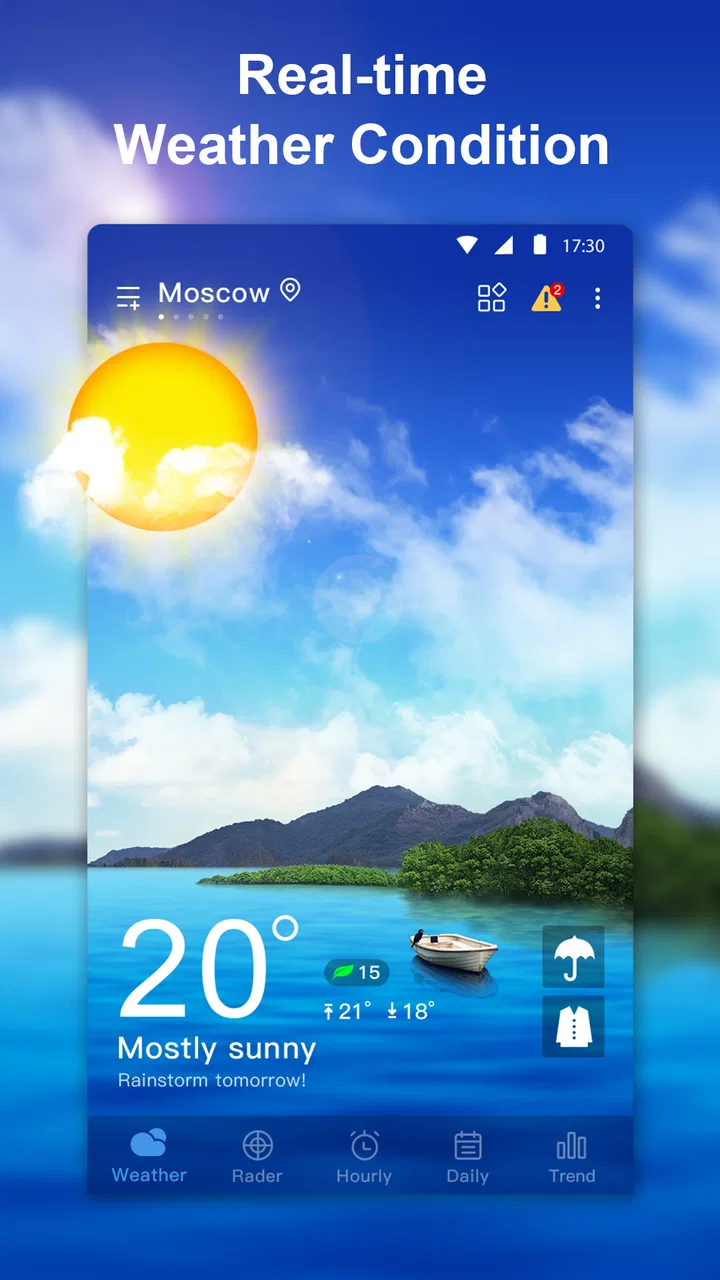
Weather Live provides real-time weather updates, including temperature, humidity, wind speed, and precipitation forecasts. It also offers detailed radar maps, weather alerts, and sunrise/sunset times. The app's customizable widgets allow users to access live weather data directly from their home screen, making it a comprehensive tool for staying informed about weather conditions.
02Is Weather Live: Weather Forecast free to use?
Weather Live offers a free version with essential features, but it also provides a premium option with additional functionalities. The premium version typically includes an ad-free experience, more detailed weather maps, and extended forecasts. Users can choose to upgrade through in-app purchases if they find the advanced features beneficial.
03How accurate is the weather data provided by Weather Live?
Weather Live sources its data from reputable meteorological services, ensuring a high level of accuracy. It uses advanced algorithms to provide precise local forecasts. However, as with any weather app, predictions can sometimes be affected by sudden atmospheric changes, so it’s always advisable to check multiple sources for critical weather updates.
04Does Weather Live: Weather Forecast require an internet connection?
Yes, Weather Live needs an internet connection to fetch the latest weather data and updates. However, once the data is loaded, users can view it offline. For the most accurate and up-to-date information, it is recommended to connect to the internet regularly to refresh the data.
05Can I customize the notifications in Weather Live: Weather Forecast?
Yes, Weather Live allows users to customize notifications to receive alerts for severe weather conditions, daily forecasts, and other weather changes. You can adjust the frequency and type of notifications in the app settings, ensuring you only receive the information that is most relevant to your needs.
Pros
- Accurate real-time weather updates.
- Beautiful and intuitive interface design.
- Customizable weather notifications.
- Includes detailed hourly forecasts.
- Supports multiple locations for tracking.
Cons
- Frequent ads can be intrusive.
- Some features locked behind paywall.
- Occasional lag on older devices.
- Data-heavy
- can drain battery quickly.
- Limited offline functionality.

Weather Live: Weather Forecast
Gallery